


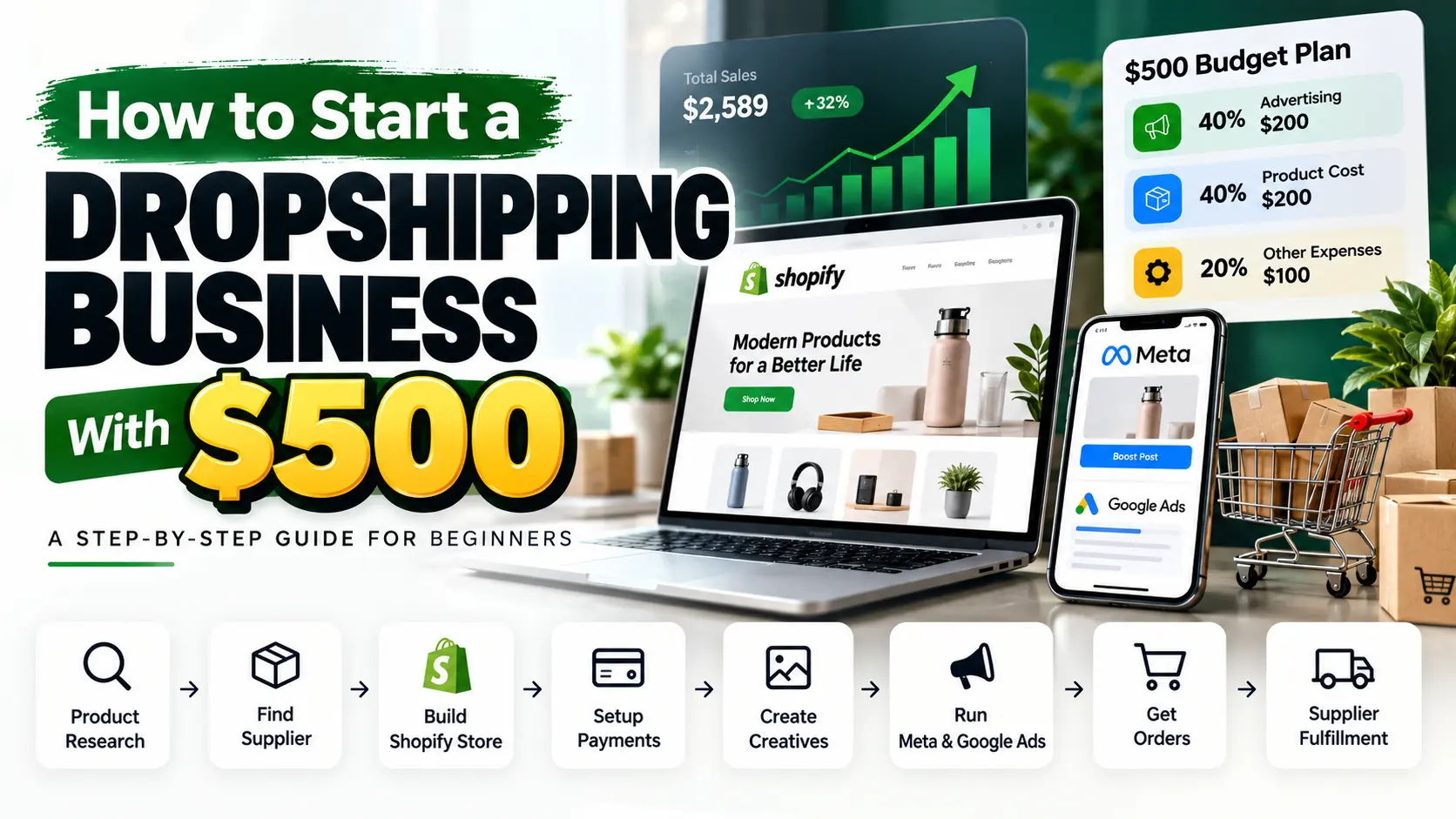
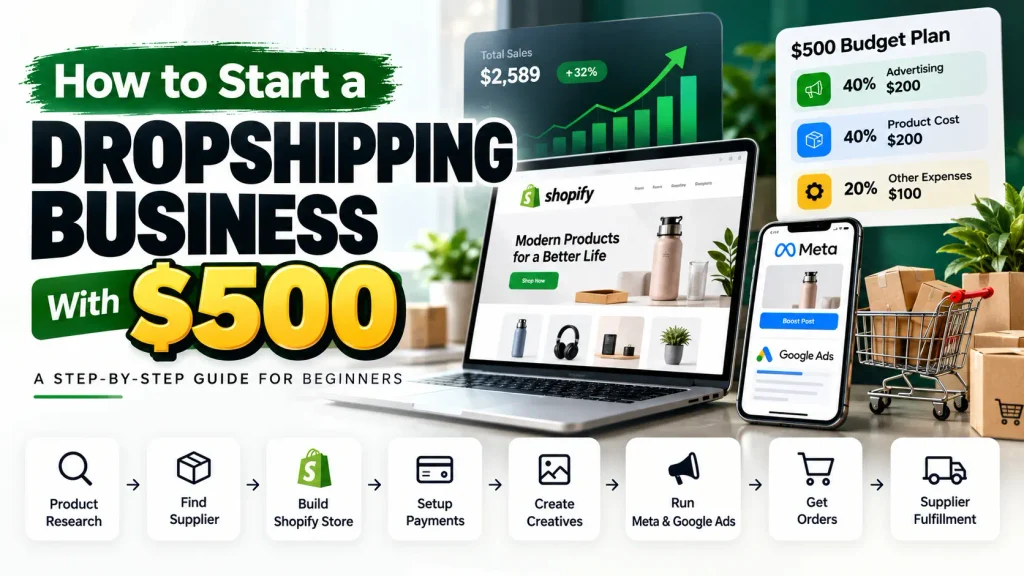
Starting a dropshipping business does not necessarily require thousands of dollars in inventory. With the right supplier, a simple online store, and careful budget management, you can begin testing an eCommerce business with $500.
However, starting with $500 requires realistic expectations. Your budget must cover advertising, product costs, website expenses, and the money needed to fulfill customer orders. You may not have enough capital to test multiple products, hire a full-service agency, or scale advertising immediately.
The goal is to use your money carefully, learn from real customer behavior, and avoid unnecessary expenses.
In this guide, you will learn how to start a dropshipping business in the USA with $500, including product research, supplier selection, Shopify website development, payment gateway setup, advertising creative production, Meta Ads testing, Google Ads, order fulfillment, and business expenses.
You will also learn when professional help may be useful and how to calculate whether your store has a realistic path toward profitability.
Table of Contents
- What is dropshipping and how does it work?
- How to divide your $500 budget
- Choose a niche and target customer
- Find and validate a product
- Research competitors
- Find a reliable dropshipping supplier
- Calculate product pricing and profit margins
- Build your Shopify dropshipping store
- Create a product page that converts
- Set up payment gateways
- Configure shipping, returns, and sales tax
- Create product photos and advertising creatives
- Launch Meta Ads with a controlled budget
- When should you use Google Ads?
- How dropshipping order fulfillment works
- Manage customer service and cash flow
- Track results and improve your store
- A realistic 30-day dropshipping launch plan
- Common dropshipping mistakes
- Frequently asked questions
1. What Is Dropshipping and How Does It Work?
Dropshipping is an eCommerce business model in which you sell products online without keeping the products in your own inventory.
When a customer orders from your store, you purchase the product from a supplier or arrange fulfillment through an agreed supplier integration. The supplier then ships the product directly to your customer.
You manage the storefront, product selection, pricing, marketing, and customer service. Your supplier handles the agreed product sourcing, packing, and shipping responsibilities.
For example, imagine you sell a home organization product through a Shopify store.
A customer purchases the product for $39.99. Your supplier charges $18 for the product and shipping. The difference is $21.99 before payment processing, advertising, platform costs, refunds, and other business expenses.
That difference is not your final profit.
Dropshipping reduces the need to purchase large amounts of inventory upfront, but it does not eliminate financial risk. You still need enough money to pay suppliers, handle refunds, manage customer expectations, and promote your store.
For a detailed explanation, read Shopify’s official dropshipping guide.
2. How to Divide Your $500 Dropshipping Budget
Before you build your store, decide how you will use your money.
For this example, we will follow your requested allocation: 40% for advertising, 40% for product costs and fulfillment, and 20% for other business expenses.
| Expense category | Percentage | Budget |
|---|---|---|
| Advertising and creative testing | 40% | $200 |
| Product costs and fulfillment reserve | 40% | $200 |
| Website and other business expenses | 20% | $100 |
| Total | 100% | $500 |
This is a planning framework, not a guarantee that the amounts will cover every cost. Actual expenses depend on the product, supplier, payment provider, and website setup.
A. Advertising budget: $200
Use this allocation to test your product offer and advertising creatives.
You might start with Meta Ads on Facebook and Instagram, depending on your product and target audience. You do not need to spend the full $200 immediately.
Prepare your initial creatives, confirm that your website and tracking work, and decide how much you can afford to spend on the first test. Review the results before committing more money.
The purpose is to learn whether the offer attracts relevant visitors and whether those visitors show signs of purchase intent.
A $200 test may provide useful information, but it may not produce enough purchases to establish profitability.
B. Product costs and fulfillment: $200
In a dropshipping business, this money is primarily a reserve for supplier payments and order fulfillment, rather than a requirement to purchase bulk inventory.
You may need to pay the supplier before your payment provider releases the customer’s payment to your bank account.
Your reserve can help cover:
- Product costs for customer orders
- Supplier shipping charges
- A product sample, if affordable
- Replacement orders when appropriate
- Unexpected fulfillment expenses
For example, if the product and shipping cost $18 per order, a $200 reserve could cover approximately 11 such orders before allowing for other costs.
That is a simple illustration, not a forecast of how many orders you will receive.
C. Other expenses: $100
This amount must cover the essential costs of getting your store ready.
Potential expenses include:
- Shopify subscription costs
- A custom domain
- Essential website tools
- A sample or additional shipping expense
- Other unavoidable setup costs
Check Shopify’s current pricing before choosing a plan.
With only $100 allocated to other expenses, you should not assume you can afford extensive custom development, multiple paid apps, premium themes, and professional video production.
Use a suitable free theme, free or low-cost creative tools, and a straightforward store structure. If you need professional assistance, obtain a quote and prioritize the work that is essential for launch.
Important: Keep your actual costs in a spreadsheet. If your real expenses do not fit this budget, adjust your launch plan before spending money you cannot afford to lose.
3. Choose a Niche and Target Customer
Do not begin by trying to sell every product you can find.
Start with a specific audience and a clear customer need. This will make product research, website messaging, and advertising much easier to manage.
You could research categories such as:
- Home organization
- Pet accessories
- Travel accessories
- Hobby and craft products
- Everyday household accessories
- Selected home and lifestyle products
These are starting points for research, not guaranteed profitable niches.
Ask yourself:
- Who is most likely to buy this product?
- What problem does it solve?
- Why would someone choose it over an alternative?
- Can you explain its value in a short video or image?
- Is the supplier reliable?
- Can you sell it at a price that leaves enough room for costs?
- Are there product safety, legal, or advertising restrictions to consider?
A clear target customer also helps you create more relevant ads. Instead of advertising a product to everyone, you can focus on a specific use case, need, or interest.
4. Find and Validate a Product
Product research is one of the most important steps when starting dropshipping with $500.
You do not need to buy expensive research tools immediately. Begin with free resources and direct competitor research.
Use Google Trends
Visit Google Trends and compare search interest for your product ideas in the United States.
Look at longer-term patterns, seasonality, and whether a recent spike appears temporary.
Remember that Google Trends shows relative search interest, not exact sales or guaranteed demand.
Research Google Search results
Search for the product name, related problems, and alternative solutions.
Review established retailers and specialist stores to understand typical pricing, product specifications, and customer expectations.
Study customer reviews
Read reviews of comparable products to discover what customers like and dislike.
Look for repeated concerns about product quality, sizing, usability, packaging, delivery, or compatibility.
Use these insights to decide what questions your product page must answer.
Investigate social media
Search relevant product terms on TikTok, Instagram, YouTube, and Facebook.
Look for useful demonstrations, common customer questions, and ways the product is presented.
You can also use the Meta Ad Library to study publicly available ads. However, seeing a competitor advertise does not prove that its campaigns are profitable.
Evaluate each product
Before selecting a product, consider:
| Factor | What to check |
|---|---|
| Customer need | Does the product have a clear use case? |
| Competition | What alternatives are already available? |
| Selling price | Can you compete while maintaining a workable margin? |
| Supplier cost | What will the product and shipping actually cost? |
| Quality | Can you verify the product’s quality and specifications? |
| Delivery | Are the processing time and shipping estimates acceptable? |
| Returns | Can you handle defective, damaged, or unwanted items? |
| Marketing | Can you demonstrate the product honestly and clearly? |
Choose the product with the strongest overall case for testing, not simply the one that looks most popular on social media.
5. Research Your Competitors
Once you have a product shortlist, study businesses already selling similar items.
Review their product pages, prices, shipping information, images, advertising messages, and customer support arrangements.
Look for opportunities to make your own offer clearer and more useful.
For example, competitors may have incomplete product descriptions, confusing sizing information, or poor explanations of how a product works. These observations can help you build a better shopping experience.
Do not copy another business’s branding, product images, advertising, or customer reviews. Use research to understand the market and develop your own approach.
6. Find a Reliable Dropshipping Supplier
Your supplier affects product quality, delivery times, costs, tracking, and customer satisfaction.
You can research suppliers through:
- Shopify’s dropshipping resources
- The Shopify App Store
- Supplier marketplaces and directories
- Manufacturers and wholesalers
- Suppliers with relevant US fulfillment facilities
- Brands that permit authorized dropshipping partnerships
These are research starting points, not endorsements of every supplier.
Questions to ask a supplier
Before listing a product, confirm:
- What is the product price?
- What is the shipping cost to the US customer?
- Where will the product ship from?
- How long does order processing usually take?
- What delivery estimates can the supplier support?
- Is tracking available?
- How is inventory updated?
- What happens if an order arrives damaged or incorrect?
- How are returns and refunds handled?
- Are there any extra fees or minimum requirements?
Shopify recommends evaluating supplier legitimacy, fulfillment processes, and product quality before committing to a supplier. Read its guide to choosing dropshipping suppliers.
Order a sample if your budget allows
A sample lets you inspect the actual product and check whether it matches the supplier’s description.
You can also use a sample to create original product photography and demonstration videos.
If you cannot afford a sample, understand that you are taking on additional uncertainty. Do not make claims about product quality or performance that you have not verified.
7. Calculate Product Pricing and Profit Margins
Before listing a product, work out how much money could remain after the variable costs of an order.
Consider this illustrative example:
| Item | Example amount |
|---|---|
| Customer selling price | $39.99 |
| Product cost | $12.00 |
| Supplier shipping | $6.00 |
| Payment processing allowance | $1.50 |
| Remaining before advertising | $20.49 |
The $20.49 is not net profit. It is the amount remaining before advertising and other operating expenses.
If advertising costs $15 to acquire the customer, approximately $5.49 remains before other expenses, refunds, and applicable taxes.
If acquiring the customer costs more than $20.49, the order would lose money on this simplified calculation.
These figures are examples only. Use your supplier’s actual prices, your payment provider’s actual fees, and your real advertising data.
Understand break-even customer acquisition cost
Your approximate break-even customer acquisition cost is the amount remaining after the relevant non-advertising variable costs are deducted from the selling price.
In this example:
$39.99 − $12 − $6 − $1.50 = $20.49
Spending $20.49 to acquire a customer would leave approximately zero contribution before other operating costs.
This calculation helps you avoid judging an order solely by its revenue.
8. Build Your Shopify Dropshipping Store
Your website is where customers learn about your offer, evaluate your product, and decide whether to purchase.
With a limited budget, focus on a clean, functional storefront rather than complicated design features.
Step 1: Set up your Shopify account
Create your store and configure the basic information Shopify requires.
Set up your store name, contact information, currency, domain, products, and relevant regional settings.
Review Shopify’s pricing before committing to a plan.
Step 2: Choose a suitable theme
A free Shopify theme can be enough to begin.
Focus on readable text, clear navigation, attractive product presentation, and a smooth mobile shopping experience.
A paid theme is not automatically better for your business.
Step 3: Create your homepage
Your homepage should explain what you sell and guide visitors toward your products.
Include:
- A clear headline
- A relevant product or brand image
- A prominent call to action
- Your main product or collection
- Accurate product benefits
- Relevant customer information
- Links to contact and policy pages
Avoid cluttering the page with unnecessary animations, pop-ups, and competing messages.
Step 4: Build your product page
Explain what the product does, who it is designed for, what is included, and what customers should know before buying.
Include clear images, accurate specifications, pricing, available variants, and realistic delivery information.
Step 5: Test the mobile experience
Open the store on a phone and test the navigation, product options, cart, and checkout.
A website that looks impressive on a desktop can still be difficult to use on mobile.
Need professional Shopify website development?
If you need custom product pages, specialized Shopify sections, custom functionality, or a more polished brand experience, professional development may be worth considering.
You can visit Aktive Online LLC to explore our website development and eCommerce services and discuss your project requirements.
With a $500 starting budget, prioritize the features essential for launch. Obtain a clear quote before committing to development work, and do not assume that extensive custom development will fit within the $100 other-expenses allocation.
9. Create a Product Page That Helps Customers Buy
Your product page should answer the questions customers have before purchasing.
A useful structure includes:
Product title: Use a clear name that accurately describes the product.
Product images: Show the item from useful angles and include demonstrations where possible.
Main benefit: Explain the product’s primary use without exaggerating its performance.
Supporting benefits: Describe the features that matter to your intended customer.
Specifications: Include dimensions, materials, compatibility, care instructions, or other relevant details.
Shipping information: Explain processing times and delivery expectations.
Returns information: Make your actual policy easy to find.
Frequently asked questions: Answer common concerns based on accurate product information.
Call to action: Make it easy to identify and use the purchase button.
If you do not have customer reviews, do not invent testimonials. Use accurate product information, original content, clear policies, and genuine demonstrations to establish trust.
10. Set Up Shopify Payments or Another Eligible Payment Gateway
Customers need a reliable way to pay for orders.
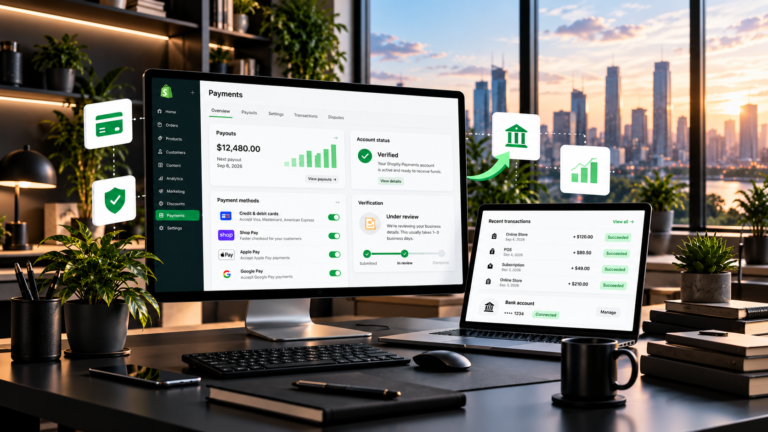
Payment provider availability depends on your business location, business structure, product category, and the provider’s eligibility requirements.
Review Shopify’s official payment setup guide and confirm the available options for your circumstances.
Before applying, check:
- Supported business locations
- Required identity and business documents
- Accepted currencies and payment methods
- Processing fees
- Payout timing
- Refund procedures
- Chargeback handling
Use accurate business information and complete any verification requirements.
Need help with payment gateway setup?
Payment configuration can be confusing when you are unsure which provider supports your business or what documentation is required.
If you need assistance with Shopify Payments setup or payment gateway integration, visit Aktive Online LLC to explore our available services and discuss your requirements.
We can help you understand the setup process and identify appropriate next steps, subject to the provider’s requirements and your business eligibility.
Important: No agency can legitimately guarantee approval by a payment provider. Eligibility and final approval remain with the provider.
11. Configure Shipping, Returns, and US Sales Tax
Before running ads, make sure your store can deliver what it promises.
Set up shipping
Confirm the supplier’s processing times, shipping charges, tracking arrangements, and expected delivery windows.
Your website should communicate shipping information clearly before a customer completes a purchase.
Shopify’s dropshipping legal guidance explains the importance of communicating processing and shipping information and keeping customers informed about delays.
Create store policies
Publish relevant pages covering:
- Contact information
- Shipping policy
- Return and refund policy
- Privacy policy
- Terms of service
Make sure the policies match your actual operations and applicable requirements.
Understand US sales tax
Sales tax obligations depend on your circumstances, including where your business operates, where you have a relevant connection to a state, and the products you sell.
Do not assume that every seller must collect sales tax in every state, or that no registration is required.
Review Shopify’s official US sales tax setup guide and consult the relevant state tax authorities or a qualified tax professional when needed.
Shopify provides tax calculation and configuration tools, but merchants remain responsible for determining their obligations and handling required registration, filing, and remittance.
Need guidance on LLC or LTD formation?
Some entrepreneurs explore forming a US LLC or a UK LTD while planning their eCommerce business.
The appropriate structure depends on your location, business activities, tax situation, and legal obligations. Company formation also does not automatically make you eligible for every payment provider.
If you need help understanding the business setup process, visit Aktive Online LLC to discuss your requirements and check which business setup services are available.
Before registering, review official government requirements, fees, reporting obligations, and tax responsibilities. Consult a qualified legal or tax professional for advice specific to your situation.
12. Create Product Photos and Advertising Creatives
You do not need an expensive production studio to begin testing a product, but your creative content should be clear, relevant, and truthful.
Your ads need to show why the product might be useful and help the viewer understand how it works.
Creative idea 1: Problem and solution
Begin by showing a real problem the product is designed to address.
Demonstrate how the product works and explain its practical benefit.
Creative idea 2: Product demonstration
Show the item in use. Capture close-ups, different angles, and details that help customers understand it.
Creative idea 3: Feature and benefit
Choose one useful feature and explain why it matters to the customer.
Avoid making unsupported claims about results or performance.
Creative idea 4: Answer a customer question
Use a genuine customer question or a concern identified during product research.
Answer it directly through a demonstration or explanation.
Creative idea 5: Test a different opening hook
Create an alternative opening for the same product demonstration.
For example, one version might start with the problem while another starts with the product in use. This can help you compare different ways of presenting the offer.
A simple creative production process
- Write a short script.
- Film the product using a phone and suitable lighting.
- Capture several useful shots.
- Edit unnecessary pauses.
- Add readable captions where helpful.
- Check that the product is shown accurately.
- Export the appropriate format for the advertising platform.
- Review the final creative before publishing.
You can start with free or low-cost editing tools.
If you do not have a product sample, supplier-provided media may be an option, provided you have permission to use it and it accurately represents the product. Do not present supplier footage as your own customer experience.
13. Launch Meta Ads With a Controlled Budget
Meta Ads can help you test a product with audiences on Facebook and Instagram, but advertising does not guarantee purchases.
With $200 allocated to advertising, focus on a controlled initial test.
Step 1: Check your store
Before spending money, make sure the product page, payment method, shipping information, and checkout are ready.
Confirm that purchase tracking is working.
Step 2: Select one product
Avoid spreading a small budget across many unrelated products.
Choose one product with a clear customer use case, a supplier you have investigated, and a price that leaves room for advertising costs.
Step 3: Prepare three initial creative concepts
For example:
- A problem-and-solution video
- A product demonstration
- An alternative opening hook
This provides a starting point for testing without requiring a large creative production budget.
Step 4: Set a controlled test budget
Decide how much of your $200 you can afford to use for the first test.
You do not need to spend the entire allocation immediately. Review the data and preserve the remaining money for further testing or a better-informed decision.
Choose campaign settings and a budget appropriate to your product and current Meta Ads options.
Step 5: Track the right metrics
Monitor:
- Amount spent
- Impressions and reach
- Link clicks
- Landing-page views
- Add-to-cart activity
- Checkout starts
- Purchases
- Cost per purchase
- Average order value
- Contribution after variable costs
A high click-through rate does not prove profitability. One purchase does not establish that a campaign is sustainable.
Step 6: Understand what the results mean
If people click but do not add products to their carts, review the offer, page clarity, product information, and consistency between the ad and landing page.
If shoppers add to cart but do not purchase, investigate shipping charges, payment options, checkout friction, and delivery expectations.
If purchases occur but the acquisition cost is too high, revisit your margins and marketing before increasing spend.
Need help with Meta Ads, Google Ads, or eCommerce marketing?
Advertising requires more than choosing an audience. Creative quality, landing pages, tracking, pricing, and campaign analysis all affect the decisions you make.
If you need professional assistance with Meta Ads, Google Ads, advertising creatives, or eCommerce marketing, visit Aktive Online LLC to explore our digital marketing services.
We can discuss your requirements and help you identify suitable next steps. Actual advertising results depend on your product, offer, market, budget, and execution; no particular sales or profit outcome is guaranteed.
14. When Should You Use Google Ads?
Google Ads is another marketing option, but it serves a different purpose from social advertising.
Meta Ads can help introduce a product to audiences based on advertising signals and targeting options. Google Search Ads can reach people searching for relevant products or solutions.
Whether Google Ads is appropriate depends on how people search for your product, the level of competition, your margins, and the cost of relevant clicks.
Before launching a Google Ads campaign:
- Research the search terms customers may use.
- Check whether those searches indicate a relevant buying intent.
- Review competitor listings and available search results.
- Make sure your landing page answers the searcher’s question.
- Calculate how much you can afford to spend to acquire a customer.
- Confirm that conversion tracking is configured correctly.
Start with a controlled budget that fits your overall financial plan.
With only $200 allocated to advertising across your initial business test, you may not have enough money to test Meta Ads and Google Ads thoroughly at the same time. Choose the channel that best fits your product and audience, then consider other channels when you have more evidence and sufficient funds.
For official information, visit Google Ads.
15. How Dropshipping Order Fulfillment Works
When a customer places an order, you need a clear process for ensuring that the correct product reaches the correct address.
Here is the typical workflow.
Step 1: The customer places an order
A customer visits your Shopify store, selects a product, enters their details, and completes checkout.
The order appears in your Shopify admin.
Step 2: Review the order
Check the product variant, quantity, shipping address, and payment status.
Resolve any obvious errors before forwarding the order to the supplier.
Step 3: Send the order to the supplier
Depending on your setup, the order may be forwarded through a supplier integration or submitted manually.
Confirm that the supplier has received the correct order details.
Step 4: Pay the supplier
Pay the agreed product and shipping costs according to the supplier’s terms.
Your customer payment may not be immediately available for withdrawal, so maintain enough cash to fulfill outstanding orders.
Step 5: The supplier prepares the package
The supplier picks and packs the product and prepares it for dispatch.
The handling time should match the delivery information you have published.
Step 6: The supplier ships the order
The supplier hands the package to the carrier.
If tracking is available, ensure the tracking information is associated with the correct order.
Step 7: Notify the customer
Send the relevant order confirmation and shipping updates.
Make it easy for customers to contact you with questions.
Step 8: Handle delivery issues
If a package is delayed, lost, damaged, or incorrect, contact your supplier and follow your customer support process.
You remain responsible for communicating with your customer, even when the supplier handles shipping.
Step 9: Record the financial result
Record the sale, supplier cost, shipping, payment fees, advertising cost, refunds, and other relevant expenses.
This allows you to calculate the actual contribution from each order.
For more information, see Shopify’s order fulfillment guide.
16. Manage Customer Service and Cash Flow
With a $500 budget, cash flow is especially important.
Suppose your product and shipping cost $18 per order. A $200 fulfillment reserve could cover approximately 11 orders at that cost before other expenses.
If several orders arrive before your payment-provider payouts become available, you may need more cash to pay the supplier.
Do not increase advertising without checking whether you can fulfill the orders that additional sales might generate.
Use a daily order management checklist
Check:
- New orders and payment status
- Supplier confirmations
- Inventory availability
- Tracking numbers
- Delayed or unfulfilled orders
- Customer questions
- Refund and replacement requests
- Available cash for upcoming supplier payments
If you cannot fulfill an order as promised, communicate promptly and follow your published policies and applicable requirements.
Reliable customer support is part of operating a dropshipping business, not an optional task to handle only when problems occur.
17. Track Results and Improve Your Store
Do not judge your business by revenue alone.
Review the complete customer journey and investigate where visitors stop progressing toward a purchase.
If ads receive few clicks
Review whether the creative explains the product clearly and whether the opening is relevant to the intended audience.
If people click but do not add to cart
Review your product page, price, product images, shipping expectations, and the consistency between your ad and website.
If people add to cart but do not purchase
Check shipping costs, payment options, checkout functionality, and customer confidence.
If purchases occur but margins are weak
Calculate the amount remaining after product costs, shipping, payment fees, and advertising.
If acquisition costs are consistently higher than your margins can support, you may need to improve the offer, reduce costs, improve the shopping experience, or reconsider the product.
If a product appears promising
Confirm that supplier fulfillment is reliable, tracking is accurate, cash flow is sufficient, and results are not based on an isolated purchase.
A promising result is a reason to investigate further, not proof of long-term profitability.
18. A Realistic 30-Day Dropshipping Launch Plan
This timeline is a practical planning framework, not a guarantee that your store will be ready or profitable within 30 days.
Days 1–5: Product research
- Choose a niche and target customer.
- Research several product ideas.
- Compare competitor offers.
- Check supplier pricing and shipping.
- Calculate potential margins.
- Select one product to investigate further.
Goal: Make a reasoned product choice before committing most of your budget.
Days 6–10: Supplier and website setup
- Confirm supplier terms.
- Investigate sample availability.
- Create your Shopify account.
- Choose a suitable theme.
- Connect your domain.
- Build your homepage and product page.
- Configure basic navigation and policies.
Goal: Build a functional store without unnecessary spending.
Days 11–15: Prepare for launch
- Finalize product descriptions and images.
- Configure payment and shipping settings.
- Confirm the supplier’s order process.
- Create initial advertising creatives.
- Test the mobile shopping experience.
- Check checkout and tracking.
Goal: Make sure your store is ready to receive and process orders.
Days 16–23: Initial advertising test
- Launch a controlled Meta Ads test if appropriate.
- Monitor spend and traffic quality.
- Review product-page behavior.
- Check add-to-cart and checkout activity.
- Confirm that purchases are tracked correctly.
- Preserve sufficient funds for supplier payments.
Goal: Gather useful evidence without assuming a profitable result.
Days 24–30: Review and improve
- Compare creative performance.
- Investigate website friction.
- Review product and fulfillment costs.
- Check the financial contribution from orders.
- Improve the most obvious weaknesses.
- Decide whether to continue testing, adjust the offer, or stop.
Goal: Make the next decision based on evidence rather than pressure to keep spending.
Some products need more time to validate, and some tests will not produce a sale. Do not keep spending simply because you have reached a particular day in the plan.
19. Common Dropshipping Mistakes to Avoid
Spending too much on website design
A complicated website cannot compensate for weak demand or poor margins.
Start with a functional storefront and invest in custom development when you have a clear reason to do so.
Testing too many products at once
A small budget can disappear quickly when divided among unrelated products, audiences, and creative variations.
Keep your initial test focused enough to interpret the results.
Choosing suppliers based only on price
Low product costs are not useful if quality is inconsistent, shipping is unreliable, or returns are difficult to manage.
Evaluate the entire fulfillment process.
Copying competitors
Copied branding, images, reviews, and advertising can create legal and trust problems.
Research competitors, but create original content and use media you have permission to use.
Spending all your money on advertising
You still need funds to pay suppliers and handle operating expenses.
Keep your spending limits clear and preserve money for fulfillment.
Ignoring cash flow
A sale does not mean the entire payment is immediately available in your bank account.
Track payout timing and the money required to fulfill outstanding orders.
Treating revenue as profit
Deduct product costs, shipping, payment fees, advertising, refunds, and other relevant expenses before evaluating profitability.
Making unsupported promises
Do not advertise guaranteed results, fake scarcity, unverified delivery times, or fabricated customer reviews.
Accurate information helps customers make informed decisions and protects your business credibility.
20. Frequently Asked Questions
Can I start a dropshipping business with $500 in the USA?
You can begin researching products, building a basic store, and testing an offer with $500 if you manage costs carefully. However, this is a limited budget and may not cover extensive product testing, professional development, or enough advertising to validate profitability conclusively.
Is $500 enough for Shopify dropshipping?
It may be enough for a lean initial setup, but the total depends on your Shopify plan, domain, supplier, samples, apps, and advertising. Check current costs and keep money available for fulfilling orders.
How much should I spend on dropshipping ads?
In this example, $200 of the $500 budget is allocated to advertising. Treat it as a controlled testing allocation, not an amount you must spend immediately. Your actual test budget should reflect your product margins and available working capital.
Do I need to buy inventory for dropshipping?
You generally do not need to hold conventional inventory when your supplier fulfills orders directly. However, you may still need to pay for samples and cover supplier costs after customers place orders.
How do I find dropshipping suppliers in the USA?
Investigate supplier directories, relevant Shopify integrations, US-based fulfillment facilities, and manufacturers or wholesalers that support dropshipping. Verify the product cost, shipping times, tracking, return arrangements, and supplier reliability before listing products.
Do I need an LLC to start dropshipping?
The appropriate business structure and registration requirements depend on your circumstances and applicable laws. Do not assume that every seller must form an LLC or that no registration is required. Review official requirements and consult a qualified professional where necessary.
How long does it take to get the first dropshipping sale?
There is no reliable universal timeline. Some stores receive an early order, while others need to improve their product, offer, website, or marketing before a sale occurs. Do not judge your business solely by a promised first-sale date.
Is dropshipping guaranteed to be profitable?
No. Dropshipping involves competition, supplier risk, advertising expenses, customer service, and operating costs. Profitability depends on the complete business model, not simply the difference between your selling price and supplier cost.
Should I hire a Shopify developer with a $500 budget?
If you can build a simple store yourself, you may preserve more of your budget for product costs and advertising. If you need custom development, obtain a clear quote and prioritize essential work. Do not spend money on design features that do not solve an important problem.
Can I use both Meta Ads and Google Ads with $500?
You can investigate both channels, but $200 allocated to advertising is a limited test budget. Testing both platforms thoroughly at the same time may spread your money too thin. Start with the channel that best fits your product and audience, then expand when your results and cash flow justify it.
Final Thoughts: Start Small, Test Carefully, and Protect Your Budget
Starting a dropshipping business with $500 requires careful planning and realistic expectations.
Your first objective should be to research a product, find a reliable supplier, build a functional store, create useful advertising creatives, and test your offer without exhausting the money needed to fulfill orders.
Use your starting budget as a guide:
- $200 for advertising and creative testing
- $200 for product costs and fulfillment
- $100 for website and other business expenses
These allocations help you plan, but they do not guarantee that the money will cover every situation or produce a profitable business.
Keep track of your actual costs, review customer behavior, and make decisions based on evidence. If your initial test does not work, use what you learn to decide whether the product, offer, website, or marketing approach needs to change.
Need Help Starting or Growing Your eCommerce Business?
Starting a dropshipping business involves several moving parts, from building your website and setting up payments to creating advertising campaigns and attracting customers.
You do not have to handle every part of the process alone.
At Aktive Online LLC, you can explore our eCommerce and digital marketing services and discuss the support you need for your business.
Depending on your requirements and the services available, we can discuss assistance with:
- Shopify website development: Store setup, website design, product pages, and eCommerce improvements.
- Payment gateway setup: Help understanding payment setup and integration requirements, subject to provider eligibility and approval.
- Meta Ads and Google Ads: Advertising strategy, campaign setup, creative testing, and performance analysis.
- Advertising creatives: Product-focused creative concepts and marketing content.
- Business setup support: Discuss your LLC or LTD formation requirements and check which relevant services are available.
Visit Aktive Online LLC to explore our services and get in touch about your project.
Build your store with a clear plan, protect your limited capital, and focus on making informed business decisions.
Aktive Online LLC — We Build. We Market. We Grow.
Comments